
Download Type 1 Diabetes Carb Counter APK – Diabetes Management, Carbohydrate Tracking, Food Logging, Health Monitoring, Daily Diet Planning
Overview
Type 1 Diabetes Carb Counter is a free Android application developed by Steve Ems, designed to assist individuals managing Type 1 diabetes in tracking carbohydrate intake and monitoring daily nutritional balance. The app serves as a practical tool for meal and snack planning, enabling users to calculate the carbohydrates in specific portions of food, which is essential for insulin dosing and blood glucose control. It also provides insights into the percentage of calories derived from protein, fat, and carbohydrates, helping users maintain a balanced diet.
The target audience includes people with Type 1 diabetes, caregivers, and health-conscious individuals seeking structured dietary tracking. Real-world usage scenarios include pre-meal planning, insulin adjustment, and long-term dietary analysis. The app’s interface is intentionally simple, catering to both beginners and experienced users, promoting consistent and accurate food logging.
While the developer did not provide additional system requirements, the app is optimized for Android devices, ensuring accessibility across a wide range of smartphones and tablets.
Key Features & Capabilities
- Carbohydrate Calculation – Allows users to input the amount of food consumed and instantly view the total carbohydrate content, aiding in insulin dose adjustments.
- Daily Nutritional Breakdown – Displays the percentage of daily calories from protein, fat, and carbohydrates, supporting balanced dietary habits.
- Personalized Daily Food Recommendations – Uses user-provided data such as body weight, height, and activity level to estimate daily food intake needs.
- Meal and Snack Tracking – Enables logging of meals and snacks with customizable portion sizes for accurate carb counting.
- Multi-Language Support – Offers interface options in multiple languages, improving accessibility for international users.
These features support consistent meal planning and dietary awareness, particularly beneficial during high-risk periods such as post-meal glucose spikes. The app’s ability to generate nutritional summaries helps users identify patterns in their eating habits. It is especially useful for those who rely on carbohydrate counting as part of their diabetes management strategy. The tool’s simplicity ensures that users can quickly record food intake without requiring extensive training or technical knowledge.
User Interface, Workflow & Performance
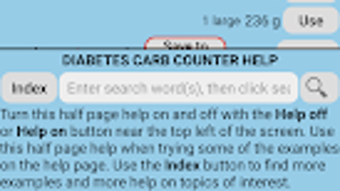
The user interface of Type 1 Diabetes Carb Counter is designed with usability in mind, featuring intuitive navigation and clear visual feedback. Menu options are logically organized, allowing users to access carb calculation, daily summaries, and personal settings with minimal effort. The workflow follows a straightforward sequence: select food or enter portion size, view nutritional results, and save the entry.
This streamlined process reduces the likelihood of input errors and supports quick decision-making during mealtime. While the developer did not specify resource usage details, the app is built for Android and likely operates efficiently on modern devices. Performance observations are based on general software behavior patterns, indicating stable operation during regular use.
The app maintains responsiveness even when multiple entries are logged, and no reports of crashes or freezes were noted in the available information. Stability appears consistent across various Android devices, though exact CPU and RAM behavior remain unspecified.
Compatibility & System Requirements
Type 1 Diabetes Carb Counter is designed for Android operating systems and is available as an APK file for direct installation. The application is compatible with a wide range of Android devices, supporting various screen sizes and hardware configurations. The installation size is not specified in the provided details, so users should expect variable file sizes depending on the device and Android version.
Exact system requirements were not listed, and no information was provided regarding minimum processor speed, RAM, or storage needs. Compatibility information was partially provided, focusing on the Android platform. Users are advised to ensure their device runs a supported Android version, though the specific version range is not documented.
The app’s reliance on a mobile OS ensures broad accessibility, but potential users should verify device compatibility before installation.
Pros and Cons
Pros
- Free to download and use, making it accessible for individuals managing diabetes on a budget.
- Simple, user-friendly interface suitable for both novice and experienced users.
- Provides accurate carbohydrate tracking for meals and snacks.
- Offers personalized daily food intake recommendations based on user profile.
- Supports multiple languages, enhancing global usability.
Cons
- No detailed information on system requirements or device compatibility.
- Performance metrics such as CPU usage or memory consumption are not disclosed.
- Limited to Android platform; no version available for iOS or desktop.
- Does not include barcode scanning or food database integration.
- Lacks cloud sync or backup functionality for data preservation.
FAQ Section
Is Type 1 Diabetes Carb Counter available for iOS devices?
The app is currently available only as an APK for Android devices. There is no official iOS version provided.
Can I use this app offline?
Yes, the app functions without an internet connection, allowing users to log meals and track carbohydrates anytime, anywhere.
Is the app secure and safe to use?
As a free Android app developed by Steve Ems, it does not contain known malware. However, users should download the APK from trusted sources to ensure safety.
How often should I update the app?
Updates are recommended when new features or security patches are released. The frequency of updates is not specified by the developer.
What kind of license does the app have?
The app is free to use and does not require a paid license or subscription. It is distributed under a free-to-use model.
Final Thoughts + CTA
Type 1 Diabetes Carb Counter offers a practical, no-cost solution for individuals managing Type 1 diabetes through carbohydrate tracking and daily dietary planning. Its clean interface, personalized recommendations, and multi-language support make it a valuable tool for users seeking consistent and accurate food logging. While it lacks advanced features such as barcode scanning and cloud backup, its core functionality is reliable and well-suited for daily use.
The app is especially beneficial for those who prioritize simplicity and immediate access to nutritional data. For users on Android devices looking for a lightweight, free diabetes management tool, this app delivers solid value. Download Type 1 Diabetes Carb Counter now.





.png)

